01
Drive like you always do.
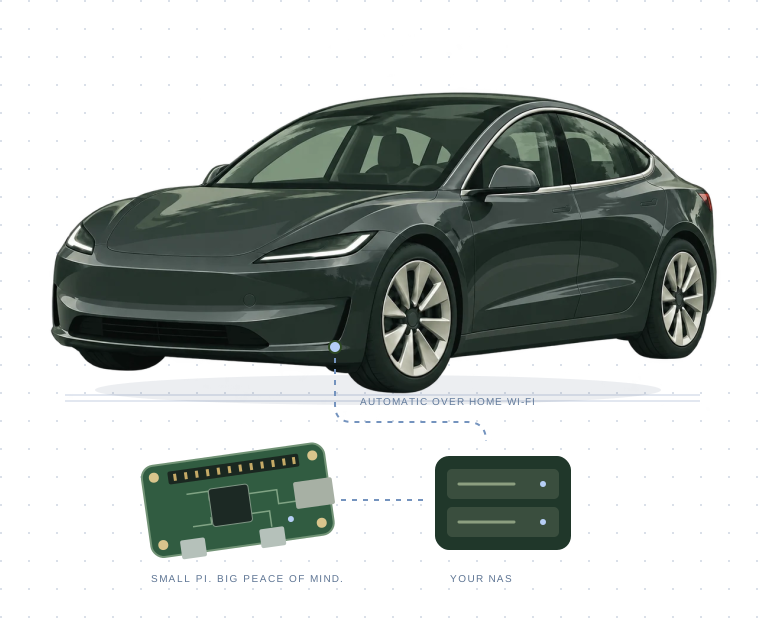
A Raspberry Pi in your glovebox acts as the car’s USB dashcam drive. TeslaCam records as usual.
Meet the tiny copilot for your Tesla’s dashcam.
Raspberry Pi or compatible board. Park. Back up. Done.
 Keep the moments.
Your car makes the memories.
Glovebox makes sure they get home.
A Raspberry Pi in your glovebox acts as the car’s USB dashcam drive. TeslaCam records as usual.
When your home storage is reachable over Wi-Fi, new clips copy automatically. Sentry events get first dibs.
Keep footage on your NAS. Browse from any browser on your network. Interrupted backup? It resumes next time.
USB gadget mode is the key.
Choose a ready-made image or bring a compatible board.
Our lean, ready-made image. Flash a card, plug in, and follow the setup wizard on your phone.
Flash the image ↗Pi Zero / Zero W, Pi 4 / 5, Pi 400 / 500, CM4 / CM5, and other compatible boards. Install on an existing Debian-based system; the installer checks hardware first.
Use the installer ↗A USB device-capable port and supported Linux system are required. Pi 4/5 may need more power than your car supplies. No Bluetooth means no keep-awake. Hardware capability is not the same as a tested car-and-board combination. Check the details →
Backups at a glance. Six cameras in sync. A little peace of mind, in your browser.
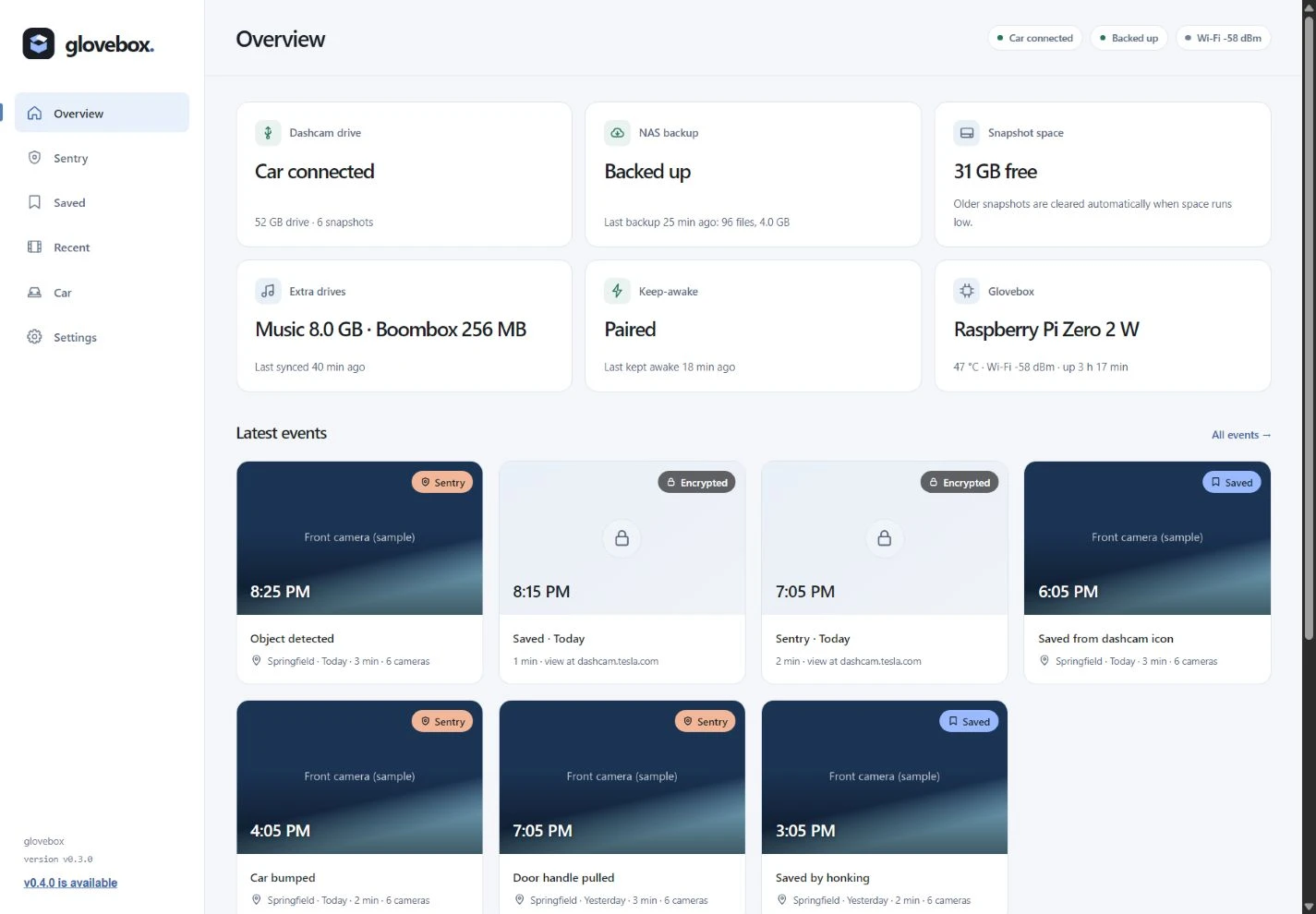
Check your backup, storage, and latest recordings at a glance.
Light + dark mode · Click to enlarge ↗Captured from the redesigned Glovebox interface using sample events and generated camera footage. Encrypted clips are downloaded for Tesla’s viewer.
Quietly useful details.
Because your dashcam should just work.
Send clips straight to your NAS over SMB, NFS, or rsync. Prefer cloud storage? Bring your own destination with rclone.
Find your backup homeOptional Bluetooth keep-awake gives that first backup up to an hour. Then the car is free to sleep. A limited key, with no unlock or drive access.
Understand the detailsJoin Glovebox’s setup Wi-Fi and follow the wizard. Choose your network, connect your storage, and make it yours. No config files to edit.
Take the first stepOptional music, Light Show, and Boombox drives sync from folders on your NAS. Updated extras, without interrupting the dashcam.
Explore the extrasYour board. Storage you control.
A smarter home for your TeslaCam footage.
Pi Zero family, Pi 4/5, or another USB gadget board.
64 GB minimum. More room? Even better.
One cable. Power and data.
Your NAS, server, or configured cloud drive.
Software: free. Hardware and storage: supplied by you.
Tested on 2026 Model 3 (HW4). Check compatibility →
Flash a card or bring your own board. Start here.
Read the setup guide 02 / MAKE IT YOURSConnect a Synology, Unraid, TrueNAS, or another server.
Connect your NAS 03 / PLAN AHEADPick a card and estimate how long your backups will take.
Explore storageGlovebox is free, open-source software that turns a Raspberry Pi into a TeslaCam USB drive. When your car gets home, it backs up Sentry Mode events and saved dashcam clips over Wi-Fi to your NAS or a cloud drive you configure.
A compatible board with USB gadget support, storage, a USB data cable, and a backup destination. Flash the ready-made image on a Pi Zero 2 W, or use the installer on other supported Pi and Debian-based boards. Pi 4/5 power requirements need checking. See the compatibility guide.
Glovebox has been tested on a 2026 Model 3 with HW4. It uses the standard TeslaCam drive structure, so other models may work, but are not confirmed. Check your car’s data-capable USB port and the compatibility guide before buying hardware.
Yes. Glovebox backs up encrypted clips without changing them. Download an event or whole drive, then view it at dashcam.tesla.com while signed in to your Tesla account. Encrypted clips cannot play in Glovebox’s six-camera player.
Optional Bluetooth pairing lets Glovebox keep the car awake for its first backup after arriving home, for at most an hour. It then lets the car sleep for at least six hours. Its limited Charging Manager key can wake the car; it cannot unlock or drive it.
Glovebox is free software under GPL-3.0 and requires no Glovebox account or subscription. You supply the hardware and storage. NAS backups stay on your local network; an optional cloud destination may have its own storage fees.
The device web interface is designed for a trusted local network and has no login. Do not expose it directly to the internet. Anyone on that network can view clips and change settings.

Free to use. Open to everyone. Built for the way you drive.
Let’s build your Glovebox See you in the driveway.